Free pixel mapping software for Windows
Draw your LEDs.
Make them move.
PixNet Artist maps your LED strips, nodes, matrices and rings, adds effects and plays them live over Art-Net or sACN. It's built for PixNet controllers and works with any Art-Net or sACN pixel controller.
Features
Everything from the first pixel to the live show
Lay out the installation as it really is, wire it the way it's built, and hand it over with a screen that only shows scenes.
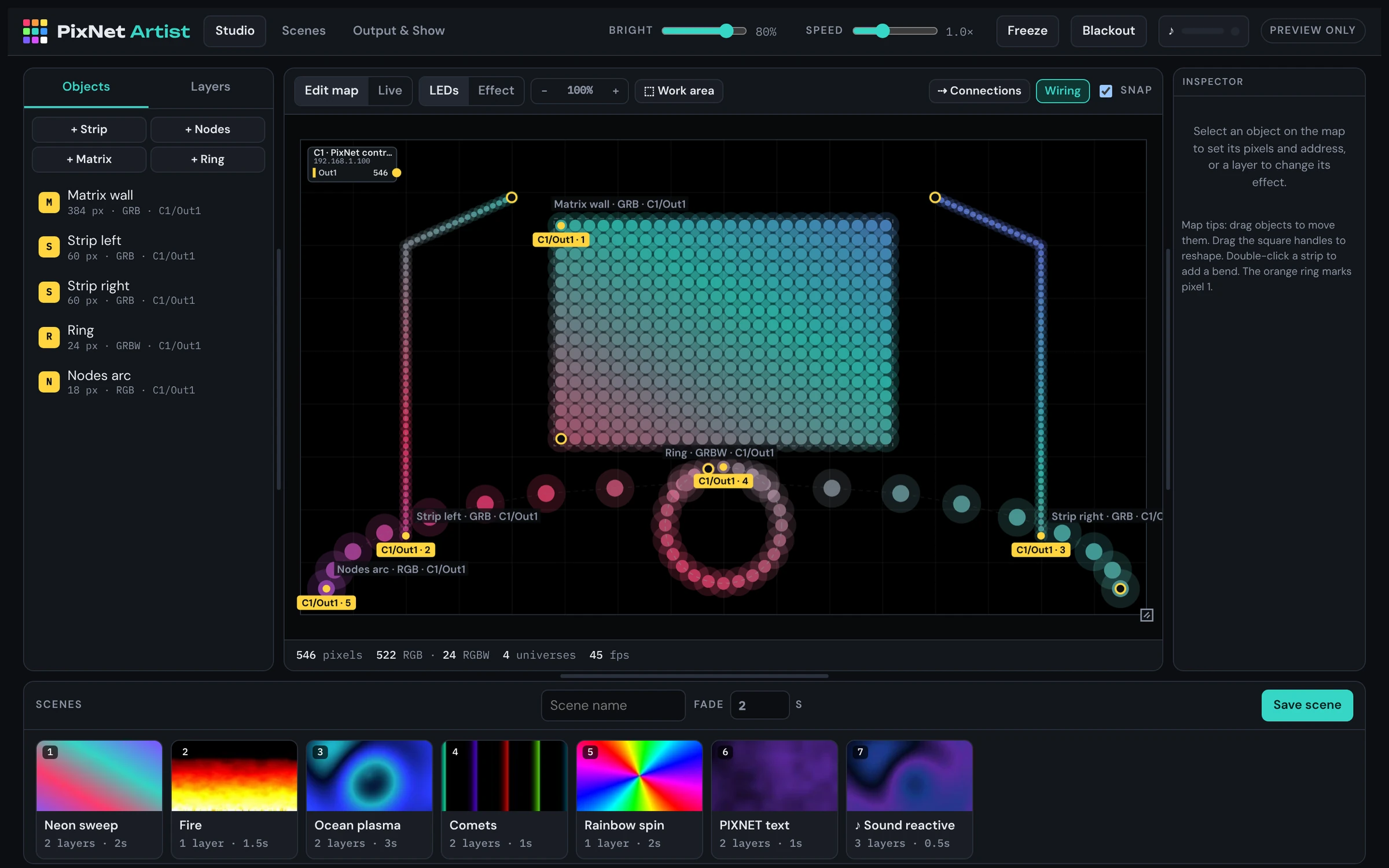
Strips, nodes, matrices and rings
Draw strips with bends, place nodes freely, and drop in matrices and rings. Drag, resize and reshape them on the map.
RGB and RGBW, any colour order
18 colour orders including white first or white last. Set them per area or for the whole show, with automatic white for RGBW.
Proper data line limits
Each line takes up to 1024 RGB or 768 RGBW pixels across 6 universes, with pixels running across universe boundaries.
Drag-to-connect wiring
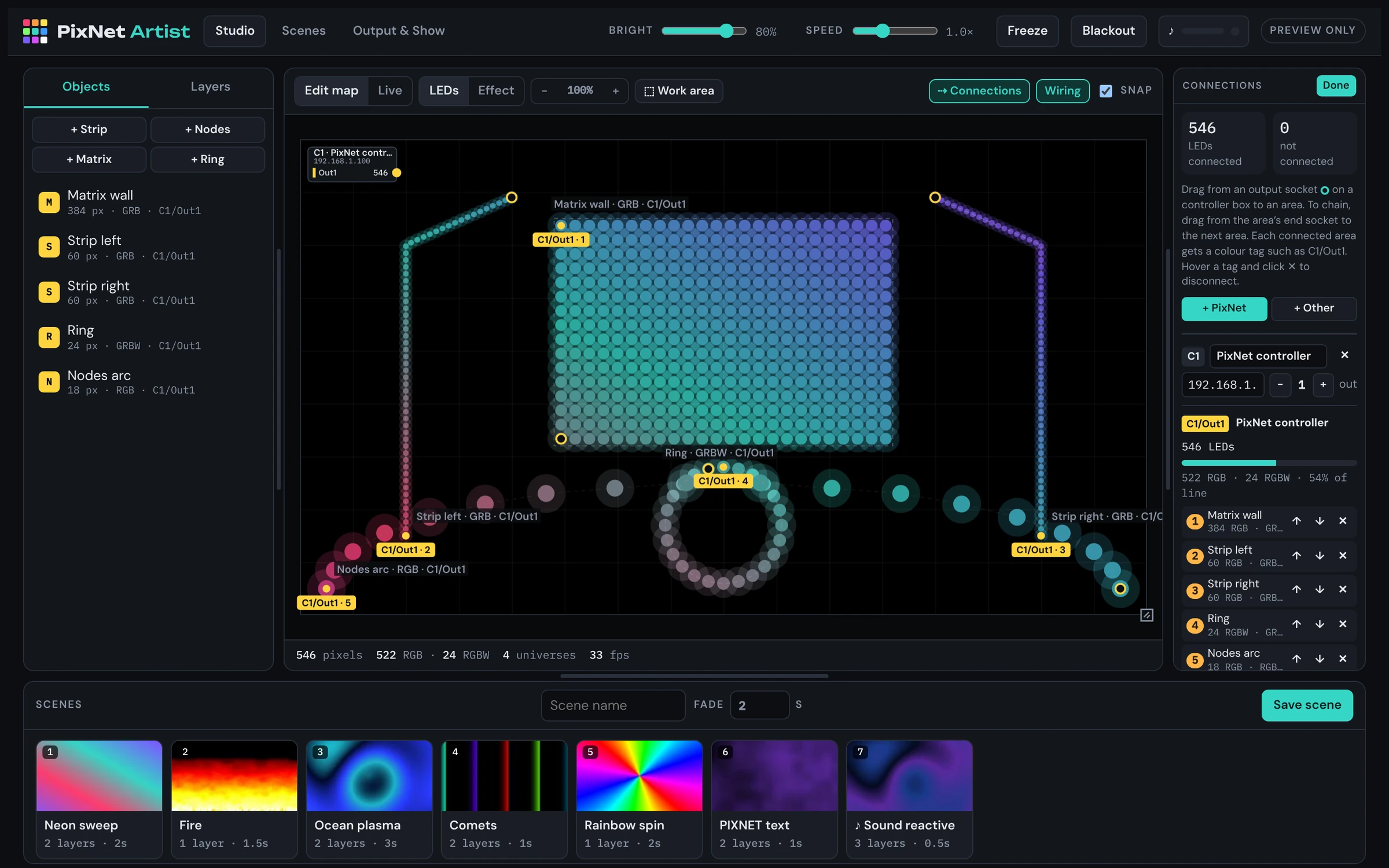
Drag from a controller output to an area, then chain to the next. Colour tags like C1/Out1 show what's connected where.
Layered effects
Stack effects with blend modes and opacity, and keep each one to the area you choose. Lock an effect to an object and they move together.
Reacts to music
Use a microphone, a line-in from the mixer, or a music file. Effects pulse with the bass and beats, and scenes can change on the beat.
PIN-locked scenes screen
Lock the software to a simple scenes screen for staff or clients. A 6-digit PIN keeps the setup safe.
Art-Net and sACN built in
Output goes straight to your controllers over the network. No extra bridge software is needed, and no internet connection either.
Wiring
Wire it the way it's built
- Add your controllers and set how many outputs each one has.
- Drag from an output to the first area it feeds, then chain to the next.
- Watch the load on every data line, so you never go over the limit.
Scenes
Hand over a screen anyone can use
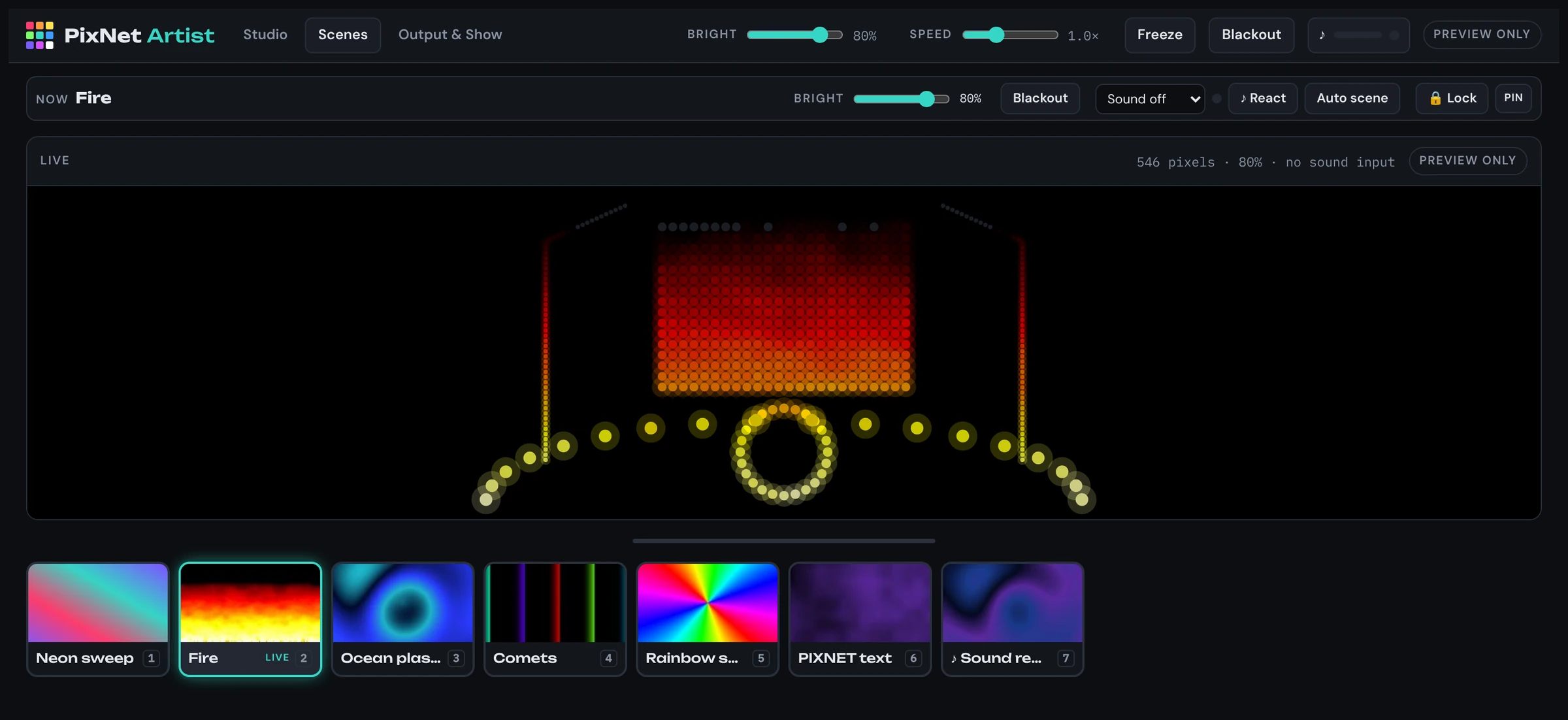
- Save scenes with their own fade times.
- Tap a scene to play it, or press keys 1 to 9.
- Lock with a PIN, so only the scenes screen shows.
Getting started
From install to light in four steps
Install
Download and run the installer. It adds PixNet Artist to the Start menu and the desktop.
Draw the map
In Studio, add strips, nodes, matrices and rings, and set each one's pixel count and colour order.
Connect
Open Connections, add your controller and its IP address, then drag outputs to areas.
Add effects and play
Add effect layers, save scenes, and play them from the Scenes screen.
Download
PixNet Artist for Windows
Free · version 1.0.0
PixNet Artist runs on a Windows PC. Open this page on your computer to download it.
- Windows 10 or 11, 64-bit
- Any modern PC or laptop. A wired network connection to your controllers is best.
- Updates install automatically when a new version is out.
- The portable version runs from a USB stick without installing, but it doesn't update itself.
FAQ
Questions
Is it really free?
Yes. PixNet Artist is free to download and use.
Does it work with controllers that aren't PixNet?
Yes. Any controller that takes Art-Net or sACN (E1.31) works. Add it in Connections as "Other" and set its universes.
How many pixels can one output take?
Up to 1024 RGB or 768 RGBW pixels per data line, across 6 universes. PixNet Artist shows each line's load and warns you before you go over.
Does it need the internet?
No. Once it's installed, everything works offline. It only goes online to check for updates when it can.
Can staff run the lights without changing the setup?
Yes. Lock it to the Scenes screen with a 6-digit PIN. Staff can then pick scenes, change brightness and black out, but nothing else.
Which colour orders does it support?
All six RGB orders, each with no white, white first or white last. That's 18 in total, set per area or for the whole show.