PixNet Artist hardware
Your shows,
no computer needed.
Design in PixNet Artist, put the scenes on a card, and let the hardware play them. The touch-screen Master Controller runs the show, and each 4-output Player drives the LEDs. When you do want a computer, the Players work as live Art-Net and sACN pixel nodes too.
 Coming soon
360°
Coming soon
360°
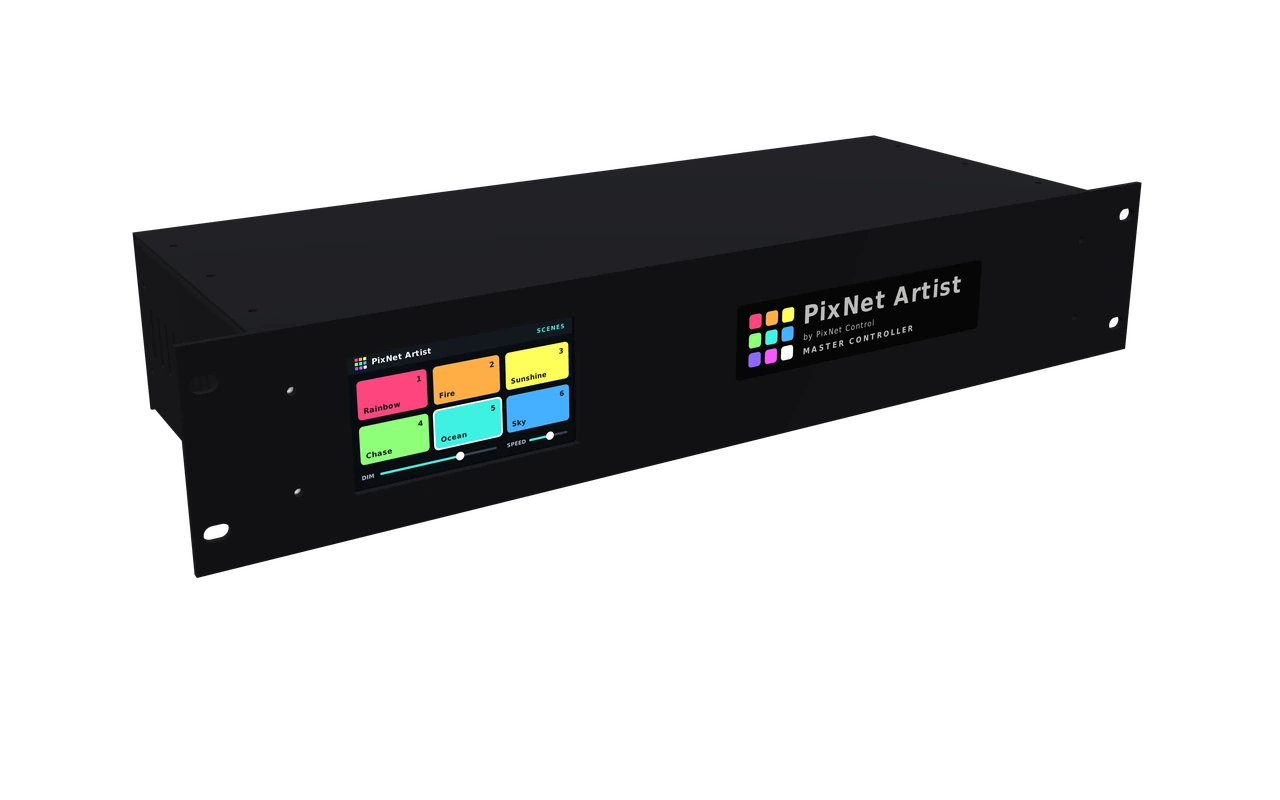
Master Controller
Coming soonPixNet Artist Master Controller
A 2U 19" rack unit with a 4.3" colour touch screen. It runs your PixNet Artist show on the Players: pick scenes, set the speed and brightness, and keep every Player in step. It has no LED outputs of its own: the Players do that.
- Touch-screen control of scenes, speed and dimming for up to 4 zones
- Drives the Players over Ethernet using Art-Net, so they stay in step
- DMX In and DMX Out on 5-pin XLR, for lighting desks
- Line in for sound-to-light
- Neutrik etherCON network socket, built for touring
Specifications
| Format | 2U 19" rack, black powder-coated aluminium |
| Size | 482.6 × 88.1 mm front panel, 170 mm deep behind it |
| Screen | 4.3" colour touch screen |
| Network | Ethernet on Neutrik etherCON. Art-Net to the Players. |
| DMX | DMX In and DMX Out, 5-pin XLR |
| Audio | Line in, 3.5 mm jack, for sound-to-light |
| Power | 12–24 V DC |
| Zones | 4, each with one or more Players |
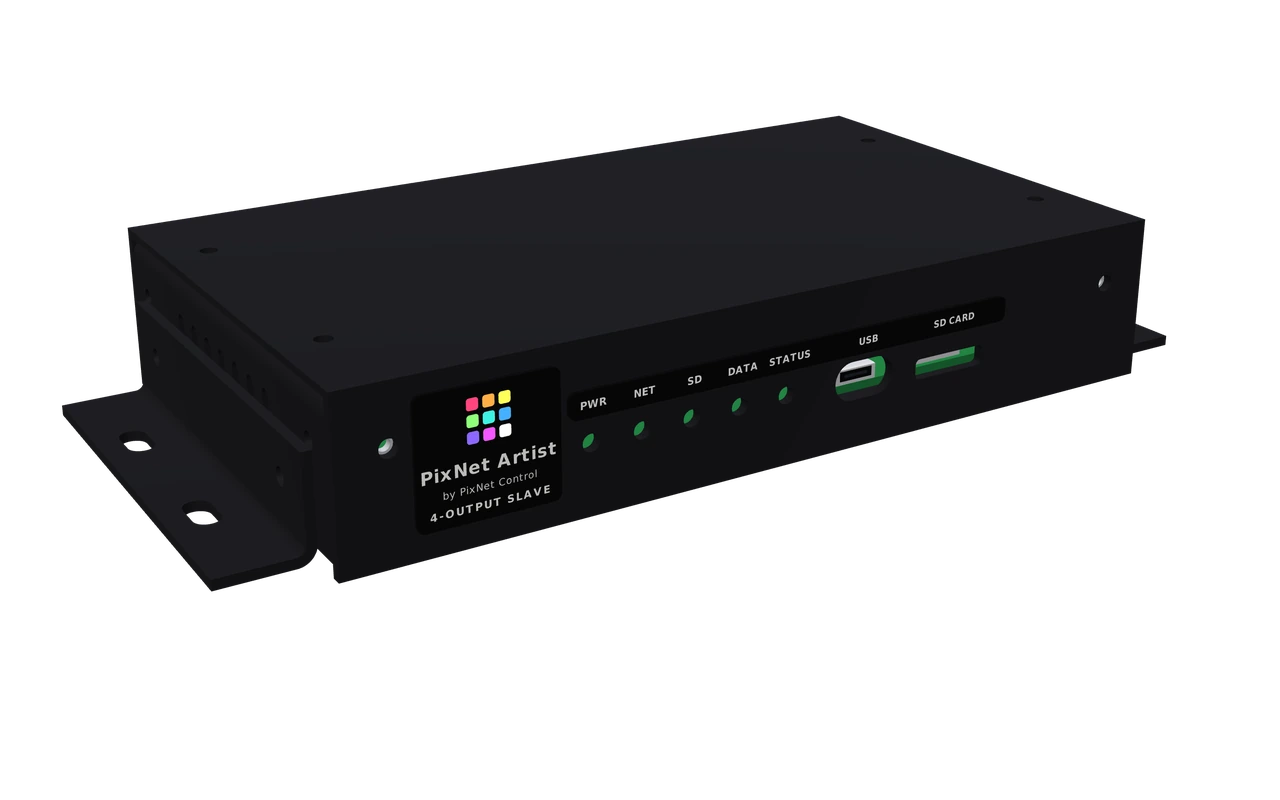
Player · 4 outputs
Coming soonPixNet Artist Player
A compact metal box with 4 pixel outputs. It plays scenes from its microSD card, either on its own or with a Master Controller, and works as a live Art-Net and sACN pixel node when PixNet Artist runs on a computer.
- 4 pixel outputs, each up to 6 universes: 1024 RGB or 768 RGBW pixels per output
- Standalone playback from microSD, written by PixNet Artist's Send to Player
- Live Art-Net and sACN input from PixNet Artist or any other pixel software or desk
- NET IN and NET OUT, so Players link one to the next
- 5–24 V DC, with fused power to every output
- Comes with 24 universes of PixNet Artist licence: enough for all 4 outputs
Specifications
| Outputs | 4 × pixel output, 3-way plug: +V, Data, GND |
| Capacity | Up to 6 universes per output (24 in total): 1024 RGB or 768 RGBW pixels per output |
| Live input | Art-Net and sACN over Ethernet |
| Scenes | microSD card, written by PixNet Artist |
| Network | NET IN and NET OUT, RJ45 |
| Power | 5–24 V DC, 2-way plug. Pixel power on each output is fused. |
| Front panel | 5 status lights (PWR, NET, SD, DATA, STATUS), USB-C, microSD slot |
| Size | 172 × 32.5 × 99 mm. 208 mm wide with the wall-mount ears, which can be left off. |
| Case | Black powder-coated aluminium |
 Coming soon
360°
Coming soon
360°
How they connect
Three ways to run your LEDs
Every Player has 4 outputs. Use as many Players as the show needs, and choose how they're run: live from a computer, standalone from the Master Controller, or from a lighting desk or control system.
01Live from PixNet Artist: Art-Net or sACN
PixNet Artist runs on a Windows or Mac computer and sends every frame live over the network. Each Player works as a 4-output pixel node, like any other Art-Net or sACN controller. Use this while you design and test a show, or for shows where a computer stays connected.
Art-Net / sACN
per Player
- Connect the computer and the Players to the same network. Wire each Player to a network switch, or link them in a chain from NET OUT to the next Player's NET IN.
- In PixNet Artist, add each Player as an Art-Net or sACN controller, then drag its 4 outputs onto the areas of your map. PixNet Artist works out the universes and channels.
- Press play. Everything you see on screen goes to the LEDs as it happens.
Because the Players accept standard Art-Net and sACN, a lighting desk or other pixel-mapping software can drive them live in the same way.
02Standalone with the Master Controller
No computer at the show. The scenes are stored on each Player's microSD card, and the Master Controller tells the Players which scene to play, how fast and how bright. It sends Art-Net over the network, so every Player stays exactly in step.
Art-Net
per Player
- Design the show in PixNet Artist as usual, with all your scenes.
- Send to Player writes the scenes onto a microSD card, with a folder for each Player. Put a copy of the card in every Player.
- Connect the Master Controller's network socket to the first Player's NET IN, then link each Player's NET OUT to the next. A network switch works too.
- Set up on the touch screen: give each Player its unit number, and put the Players into up to 4 zones.
- Play. Tap a scene, set the speed and brightness for each zone, or plug a music source into Line in for sound-to-light.
03From a lighting desk or control system
Standalone shows can still be run by the rest of your rig. A lighting desk picks the scene and sets the speed and brightness with just 3 DMX channels, the same layout PixNet Artist uses, so a desk controls the software and the hardware in the same way.
5-pin XLR
Art-Net
| Channel | Does | Values |
|---|---|---|
| Start address | Scene | 0–9 scene 1, 10–19 scene 2, 20–29 scene 3 … (the step size can be changed) |
| Start + 1 | Speed | Slow to fast |
| Start + 2 | Dimmer | Off to full brightness |
A desk that sends Art-Net can also trigger scenes on the Players over the network, with or without a Master Controller.
FAQ
Questions
When will they be available?
Soon. The first units are being built and tested now. Prices and release dates will be announced here and at pixnetcontrol.com.
Do I need a Master Controller?
Not for live shows: PixNet Artist on a computer drives the Players directly over Art-Net or sACN. For a standalone show with a touch screen, the Master Controller runs the Players. A lighting desk sending Art-Net can also pick scenes on the Players without one.
How many pixels can one Player drive?
Each output takes up to 6 universes: 1024 RGB or 768 RGBW pixels. With 4 outputs, that's up to 4096 RGB or 3072 RGBW pixels per Player. Add more Players for bigger shows.
Does the computer need to stay connected?
Only in live mode. For standalone shows, PixNet Artist writes the scenes to the microSD card and the computer can go home.
Will the Players work with other software?
Yes, in live mode. They take standard Art-Net and sACN, so other pixel-mapping software and lighting desks can drive them. Standalone playback uses scenes made in PixNet Artist.
Is a PixNet Artist licence included?
Yes. Every Player comes with a code for 24 universes, enough for all 4 of its outputs. See Universes.
Start designing today
PixNet Artist is free for 6 universes. Design your show now and it will be ready for the Players when they arrive.